
How to use a NOAA weather radio in case of severe storms in North Texas
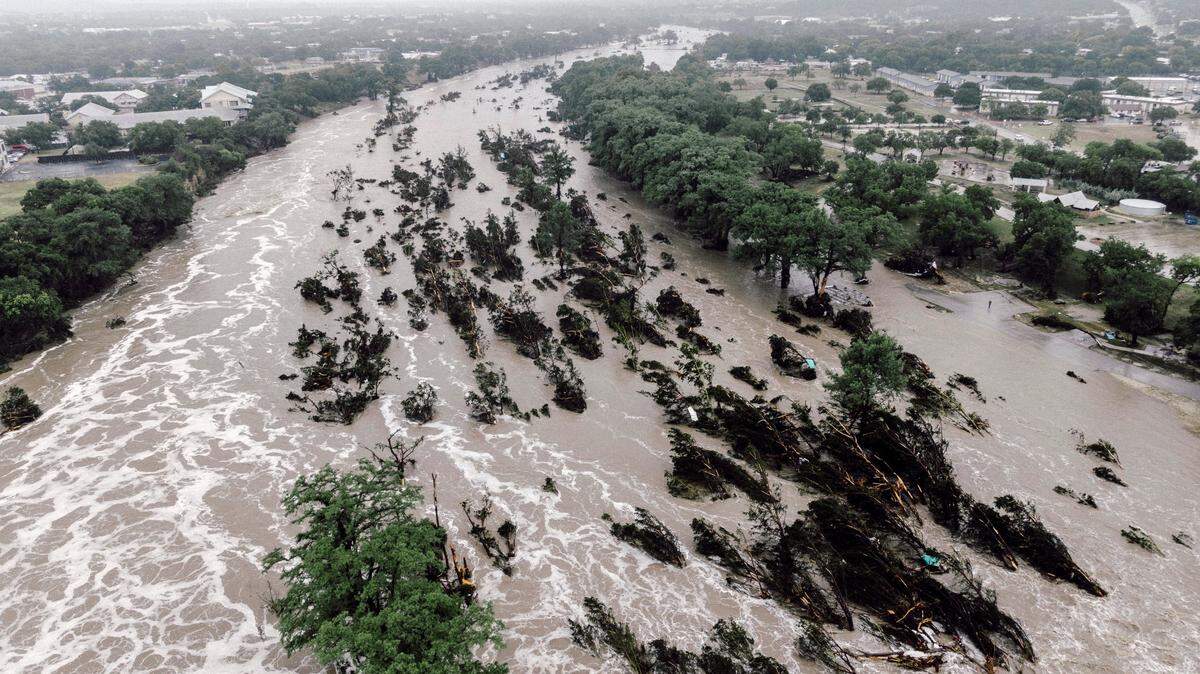
Following the severe floods in Central Texas this summer, more people are looking to find reliable ways to keep themselves informed against severe weather.
National Oceanic and Atmospheric Association (NOAA) weather radios are simple tools every household should know how to use, as they provides official updates during severe weather through power outages and no cell service.
NOAA weather radios models have loud alarms and flashing lights, and you can find one online at Amazon or in person at hardware stores like Lowe’s or Home Depot.
Here’s what to consider when choosing your NOAA radio.
What power source does a weather radio use?
NOAA radios are either hand-cranked or use batteries or solar power. Hand-crank models are the most reliable, as they are self-powered. Solar is ideal for outdoor uses like hiking or camping. Battery-powered is convenient, but requires extra batteries.
How durable are weather radios?
When choosing a radio for outdoor use, ensure it is waterproof and durable enough to withstand the elements.
CBS Texas Chief Meteorologist McKenna King recently posted a video on her Instagram where she recommended the Midland WR120 battery-powered model.
This NOAA radio is great for keeping you in the know about weather. It uses different lights to show you what’s up: red for weather warnings (the really bad stuff), orange for weaher watches (when things might get dicey) and yellow for advisories (like when the weather could make travel a bit tricky, but isn’t super serious). Plus, it has Specific Area Messaging Encoding (SAME) alerts to give you the most up-to-date information. Just remember to keep some batteries handy, because this one doesn’t have solar power or a hand crank for when the power goes out.
How to set up your weather radio
Power and Antenna: Connect the radio to a power source and insert batteries for backup. Fully extend the antenna for optimal reception.
Programming the Radio:
Language: Select your preferred language (e.g., English, Spanish).
Location: Search for your specific county.
Time: Set the current time on the radio for alert scheduling.
Channel: Choose the correct NOAA weather radio frequency for your location from the seven available frequencies.
Setting Alert Preferences:
Volume: Adjust the alert volume to be audible but not disruptive.
Alert Type: If your radio allows, customize the types of alerts you wish to receive (e.g., severe thunderstorm, tornado warnings).
Receiving Alerts: Once programmed, the radio will monitor for alerts. When a weather event is detected for your area, the radio will activate with a tone and broadcast the relevant weather information.